DataCops vs Polygraph
Fraud detection with detection, remediation, and reporting unified.
Polygraph surfaces ad fraud patterns. DataCops surfaces them and acts on them in real time - blocking at the capture layer, cleaning CAPI signals, and feeding back to ad platforms automatically.
Start FreeBlocking bots is table stakes. What happens after is what matters.
DataCops detects, blocks, and feeds clean signals back to your ad platforms - in one layer, not three separate tools.

One platform that captures, verifies, and activates - instead of patching three tools together.
Fraud reports are only useful if they drive immediate action on your data stack.
Polygraph provides detailed analysis of where ad fraud is happening. That visibility is valuable. But a weekly report of fraud patterns is a lagging indicator - by the time you act on it, budget has already burned, and conversion data has already been polluted.
The gap between reporting and remediation
Most fraud reporting tools, including Polygraph, operate in a reporting loop: detect → report → manual exclusion → next cycle. DataCops operates in a blocking loop: detect → block at capture → never route to analytics or CAPI. The outcome for data quality is materially different.
Polygraph surfaces aggregate fraud patterns but doesn't maintain per-visitor fraud scores that integrate with conversion tracking in real time. The conversion event has already been sent to Meta CAPI before a Polygraph report identifies the session as fraudulent.
Polygraph's value proposition is post-hoc analysis and IP/site exclusion management. For teams that want proactive fraud blocking and CAPI-integrated signal suppression, a separate set of integrations is required on top of the Polygraph platform.
DataCops: real-time detection, blocking, and CAPI cleanup
DataCops scores every session in real time. Fraudulent sessions are flagged before any conversion event fires - not after a weekly review cycle. CAPI destinations receive only clean events. Ad-platform optimization never trains on a single fraudulent conversion.
DataCops provides the same fraud analysis visibility as reporting tools - traffic quality scores, fraud category breakdowns, and channel-by-channel invalid rate analysis - but the remediation is automatic, not a manual workflow.
Teams replacing Polygraph with DataCops gain proactive blocking, real-time CAPI integration, and first-party analytics for legitimate traffic - all from the same install that previously only managed fraud reporting.
Cut fraud spend in one afternoon
Point your tracking at DataCops and bot traffic stops draining budget within minutes.

Add the Tracking Script and Validate
Paste this into your website's <head> tag:
<script src="https://datacops.yourdomain.com/core.js"></script>Point Your DNS to DataCops
Add one CNAME record:
Live in 5-30 minutes. Complete data capture begins automatically.
Integration
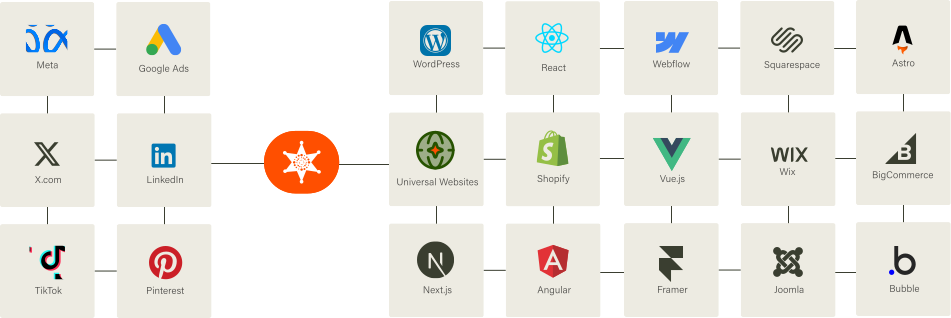
Our Script almost works flawlessly with any website framework to collect analytics data in a more accurate manner!
FAQ
Most fraud tools rely on IP blacklists and basic heuristics - effective against older bots, weak against modern ones that rotate IPs and mimic human behavior. DataCops uses device fingerprinting, interaction patterns (mouse, scroll, keystroke timing), and network signals (proxy, VPN, datacenter) scored in under 50 ms, then blocks or flags before conversion tracking fires.




