DataCops vs PostHog
PostHog is a product analytics suite for engineers. DataCops is a trust layer for marketers protecting ad spend.
PostHog ships eight products in one platform, and most teams use two of them. It does not natively forward conversions server-side to Meta via CAPI, does not filter bot traffic at ingestion, and does not separate anonymous analytics from identifiable data automatically. DataCops is a different category: first-party collection on your own subdomain, bot filtering at ingestion, two separated data tiers, and clean CAPI delivery to ad platforms.
Start FreeWhy first-party wins - feature by feature
DataCops doesn't just replace a tracker. It eliminates the three root causes of missing data - blocking, cookie limits, and consent gates - all from a single install.

One platform that captures, verifies, and activates - instead of patching three tools together.
PostHog collects through a third-party browser script, counts bots alongside real users, and stops at the product layer.
Any analytics tool collecting via a third-party browser script is collecting blocked, contaminated data with no isolation before it leaves. PostHog included. Ad-blockers strip 25 to 35 percent of real sessions. Bot traffic inflates 24 to 31 percent of what remains. PostHog does not filter it, does not separate anonymous and identifiable data automatically, and does not push clean conversions to Meta or Google as a core feature.
What the gap actually looks like
PostHog's free tier is real and generous, with monthly allowances of events, recordings, and flag requests. But it is usage-metered. Autocapture is convenient and it captures a lot. A high-traffic app can run a meaningful monthly bill, and a meaningful chunk of those billed events are bots and blocked-pixel noise that were never real user interactions. You are paying per event for signal you did not want.
PostHog can be operated in a GDPR-compliant way with EU hosting and configuration controls. But compliance is your responsibility, not a default. PostHog does not manage consent state for you and does not separate anonymous analytics from identifiable data automatically. When a EU visitor rejects consent, the discipline of what to keep and what to gate is yours to build. Most teams do not build it correctly.
PostHog does not natively send Meta CAPI events as a core feature. It is built to analyze product behavior, not to push conversions server-side to ad platforms. Self-hosting PostHog gives you data control, not bot filtering or CAPI. For a paid media team that needs clean conversion signal feeding Meta and Google, PostHog does not touch the problem, no matter how many of its eight products you enable.
How DataCops fixes PostHog's gap
DataCops collects first-party on your own subdomain, so sessions survive ad-blockers that would strip PostHog's third-party script. It splits data into two tiers at the source: anonymous analytics that flow unconditionally and legally after any consent state, and identifiable data gated by explicit consent. Consent discipline is built into the architecture, not delegated to configuration.
Bot filtering runs at ingestion against a 361.8 billion-plus IP database, classifying residential proxies, datacenter traffic, VPNs, Tor, and headless browsers before any event is counted or forwarded. Server-side Conversions API delivery to Meta, Google, TikTok, and LinkedIn runs directly through DataCops. The conversions your ad platforms optimize on are clean, real-human signal.
PostHog remains a strong product analytics choice for engineering-led teams that live in funnels, feature flags, and session replay. DataCops is the trust layer for the marketing side of the same stack. The right answer for most teams is not to switch, it is to stop paying for the six PostHog products they never opened, and use DataCops for ad-side signal integrity. DataCops is a newer brand, and SOC 2 Type II is in progress.
Switching is seamless
One script tag, one CNAME, and you're live in under 30 minutes.

Add the Tracking Script and Validate
Paste this into your website's <head> tag:
<script src="https://datacops.yourdomain.com/core.js"></script>Point Your DNS to DataCops
Add one CNAME record:
Live in 5-30 minutes. Complete data capture begins automatically.
Integration
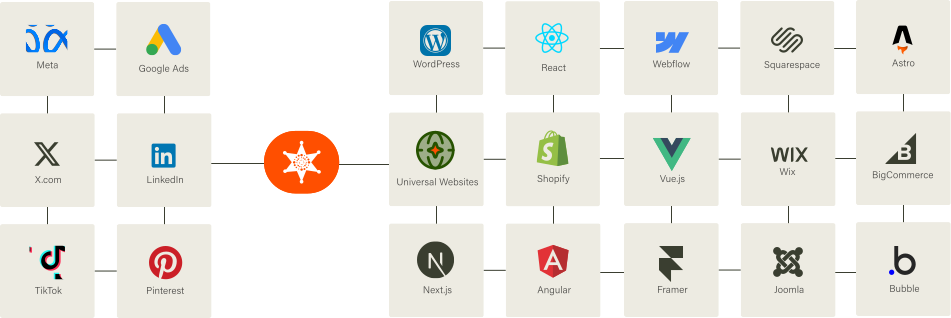
Our Script almost works flawlessly with any website framework to collect analytics data in a more accurate manner!
FAQ
Because your current tool is measuring a fraction of your actual traffic. Ad blockers, ITP, and consent dropoff silently remove 30–60% of sessions before they ever reach GA4, Mixpanel, Amplitude, or PostHog. DataCops runs on your own subdomain, captures the full picture, and feeds clean events to your existing stack - so you don't replace your BI layer, you just give it real data.



